
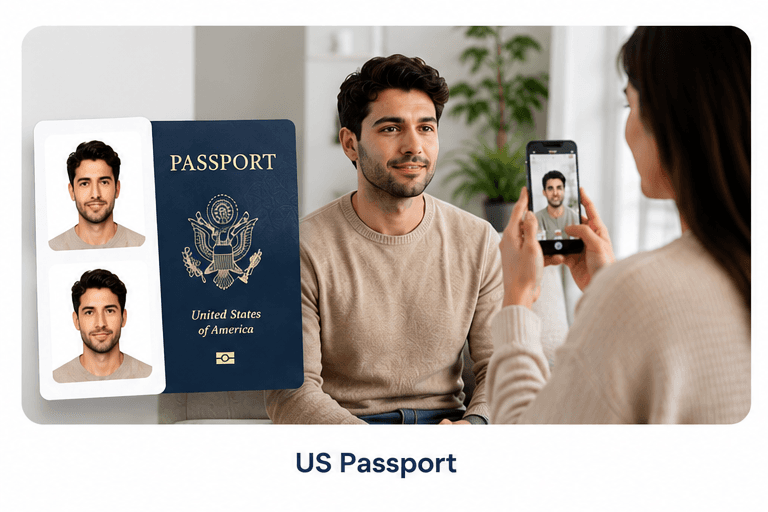
US Passport Photo Online
2×2 inches · White background · State Department compliant
ICAO standard · 600×600px at 300 DPI · Head 50–69% of frame
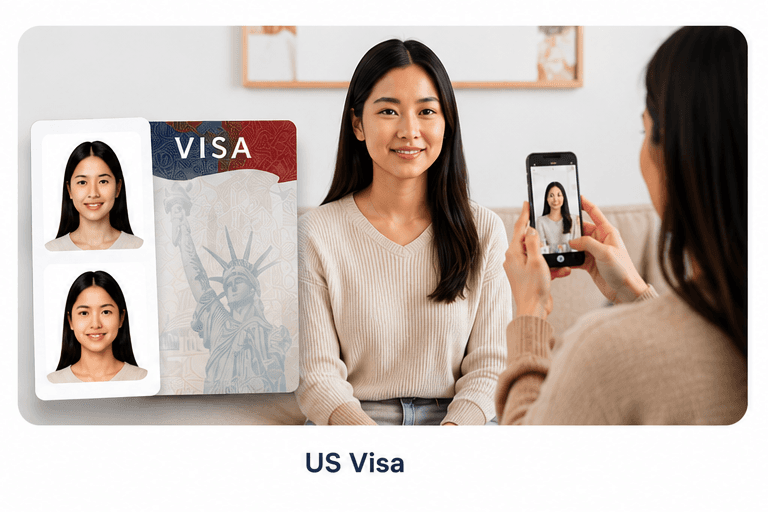
Choose your document type
Official State Department requirements
Size
2×2 in (51×51mm)
Resolution
600×600px, 300 DPI
Background
Plain white/off-white
Head height
1"–1⅜" (50–69%)
Expression
Neutral or natural smile
Eyes
Open, no glasses
Head coverings
None (religious OK)
Photo age
Within last 6 months
Tips for taking a great passport photo
Use natural light
Stand facing a window. Avoid harsh overhead lighting that creates shadows under your nose or chin.
Face directly forward
Your head should be straight — no tilting left/right or up/down. Imagine aligning your nose with the center of the frame.
Neutral expression
Relax your face. Mouth closed, eyes open and looking directly at the camera. Avoid squinting or raising eyebrows.
Any background works
Stand against any wall — our AI automatically replaces the background with compliant white. Avoid white shirts (they blend in).
Remove accessories
Take off glasses, hats, and heavy jewelry. Hearing aids are allowed. Religious head coverings are allowed.
Use portrait mode
Hold your phone at eye level, arm extended. Portrait mode on modern smartphones produces excellent results.
What makes a passport photo get rejected
Our AI catches all of these before you pay.
Frequently asked questions
What size is a US passport photo?▾
US passport photos must be exactly 2×2 inches (51×51mm), printed at 300 DPI (600×600 pixels). The head height — chin to top of hair — must be between 1 inch and 1⅜ inches, occupying 50–69% of the image.
What background color is required for a US passport photo?▾
Plain white or off-white with no patterns, shadows, or other people. Our AI automatically replaces any background with a compliant white background.
Can I wear glasses in my US passport photo?▾
No. The State Department has required no glasses since November 1, 2016. Prescription glasses, sunglasses, and tinted lenses are all prohibited.
Can I smile in my US passport photo?▾
A natural closed-mouth expression is safest. A natural smile is technically permitted if it does not distort facial features. Wide smiles showing teeth may cause rejection.
How recent does my passport photo need to be?▾
Within the last 6 months. The photo must represent your current appearance. Significant changes (new beard, major weight change) may require a retake.
Can I take my own passport photo at home?▾
Yes. Take a selfie against any background — we replace it automatically with compliant white. Good lighting and a neutral expression are all you need.
What if my passport photo is rejected by the government?▾
We offer a 100% refund if your photo is rejected for any compliance reason covered by our checks. See our refund policy for full details.
What format do I receive my files in?▾
Digital Download ($0.99): a high-res JPEG plus a print-ready 4×6 PDF with multiple copies tiled. Printed & Ready ($0.99): six physical pics at a nearby CVS or Walgreens.
How do I print my digital passport photo?▾
Take the 4×6 PDF to any CVS, Walgreens, or photo lab and ask for a standard 4×6 print. Cut out the photos. Printing typically costs $0.35–$0.50.
Is a US passport photo the same as a US visa photo?▾
Yes — identical specifications: 2×2 inches, white background, head 50–69% of frame. One set of photos works for both a passport and a US visa application.
Can babies and infants have passport photos taken?▾
Yes, but the same rules apply. Eyes must be open and looking at the camera. The infant must be alone in the photo — no hands or car seats visible.
Do I need to print my passport photo at a specific size?▾
Print the 4×6 PDF as a standard 4×6 photo. The photos are pre-sized and positioned — just cut along the white lines after printing.
What happens if my photo is too dark or blurry?▾
Our AI checks image quality and will alert you before you pay if your photo is too dark or blurry. You can retake and re-upload for free.
Can I use a filter or edit my passport photo?▾
No. Filters, edits, and color corrections are not permitted. The photo must accurately represent your current appearance.
How long does the whole process take?▾
About 60 seconds from upload to download. Background removal, compliance checking, and PDF generation happen automatically after you upload.